
You’re paying for software nobody in your company has touched in years. You're dishing out monthly licenses for ex-employees. You have tools your team purchased but never got rolled out. And you’re being charged for enterprise-tier access when cheaper options would suffice.
The worse part? You’re not even aware of all this. Not because you haven’t tried to keep down IT costs. But because SaaS management is diffused, complex and nearly impossible to get right.
That's because SaaS spending is fragmented across dozens of contracts, approved by different people, billed in small monthly increments, and there’s no unified view of IT assets anywhere. No wonder SaaS sprawl compounds quietly, without scrutiny or intervention.
SaaS license management is the practice of tracking, measuring, and controlling every software subscription across an organization, from initial purchase through usage monitoring to cancellation or renewal. It exists because SaaS spend is now one of the fastest-growing and least-governed cost categories in mid-market and enterprise companies. Without it, waste is inevitable.
Gartner’s Market Guide for SaaS Management Platforms projects that organizations without centralized SaaS visibility will overspend by at least 25% through 2027. Flexera’s 2025 State of ITAM Report found that 35% of organizations say their SaaS waste has gotten worse over the past year.
For a company spending $2 million annually on SaaS, that’s $500,000 or more going to software nobody is using. Beyond cost, unmanaged SaaS creates security gaps through unvetted tools, compliance exposure through uncontrolled data flows, and operational drag from redundant workflows. Most teams can’t quantify the waste because they’ve never instrumented it.
SaaS License Waste: Why Most Companies Don’t See the Problem
The ownership gap isn’t a one-off failure. It’s the default state at most mid-market companies. The data that would give someone a clear picture is scattered across SSO logs, expense reports, corporate cards, vendor portals, and individual department budgets. There is no single view, and nobody’s job description says "own the SaaS stack."
Flexera’s 2025 State of ITAM report confirms this, showing only 59% of ITAM teams are actively tracking SaaS usage, and just 56% are right-sizing contracts. That means more than 4 in 10 organizations have nobody doing this work.
SaaS License Management Defined: What It Actually Means in Practice
Most teams think SaaS license management means tracking renewals and negotiating discounts. That’s a narrow slice of the job, and it misses where most waste occurs. The real job is lifecycle control: knowing what’s been provisioned, whether it’s being used, and when it should be deprovisioned. If your process starts at renewal, you’re not managing spend. You’re reacting after it’s already locked in.
Provisioning: Tracking Every SaaS License Across the Organization
Provisioning means knowing exactly what’s been deployed and to whom. Not just the tools in your SSO. Every tool, including the ones purchased on corporate cards, the ones on free tiers that converted to paid, and the ones employees signed up for without telling anyone. If it’s running on a company device or processing company data, it’s part of your SaaS footprint, whether you’re tracking it or not.
Usage Monitoring: Measuring Real Engagement vs. Logins
Usage monitoring means measuring whether licenses are actively used, not just whether someone logged in. A monthly login doesn’t mean the tool is being used. Real monitoring tracks feature engagement and distinguishes active users from seat warmers. Without this data, you’re making renewal decisions blind.
Deprovisioning: Closing the Loop to Prevent License Waste
Deprovisioning means removing access and reclaiming licenses when employees leave, change roles, or stop using a tool. This is the step that fails most consistently, because offboarding processes almost never cover the full SaaS footprint, and there’s no automated trigger to catch what gets missed.
If any one of these three stages is broken, licenses leak. In most organizations, all three are broken.
Hidden SaaS Waste: Where Unused Licenses and Spend Accumulate
SaaS waste isn’t random. It follows patterns, and most mid-market companies are sitting on all of them. The three categories that account for the majority of uncontrolled SaaS spend are zombie accounts that persist after employees leave, duplicate tools that departments purchase independently, and overprovisioned plans where teams pay for tiers they’ll never fully use.
Zombie SaaS Accounts: Why You’re Still Paying for Former Employees
This is the most obvious waste to eliminate, and it persists in most environments. An employee leaves. HR processes the exit. IT disables SSO, reclaims the laptop, kills the email. But that person had active seats on Figma, Notion, HubSpot, Asana, Slack, Zoom, Loom, and a half-dozen other tools that nobody thought to check. Those licenses keep billing. For months. Sometimes over a year.
The gap is structural. Identity removal (SSO, email) and license removal are two different processes, and most companies only do the first one. If your offboarding checklist doesn’t include a full SaaS audit for every departing employee, you are guaranteed to be paying for zombie accounts right now.
Duplicate SaaS Tools: How Overlapping Software Bloats Your Stack
Marketing bought Asana. Engineering was already on Jira. Product uses Linear. Three tools solve the same problem with no coordination. The same pattern plays out with analytics platforms, design tools, file-sharing solutions, and communication apps.
This isn’t a discipline problem. It’s a visibility problem. Nobody has a full picture of what’s already in the stack. Block 64’s own data, drawn from scanning over 115,000 endpoints, shows that most organizations only have visibility into about 60% of the SaaS tools actually running in their environment. The other 40% is invisible. When you can’t see what’s deployed, duplication is inevitable.
Shadow SaaS: The Tools Your Organization Doesn’t Know It’s Paying For
Shadow SaaS is the subset of duplicate and unmanaged tools that IT has zero visibility into. Employees sign up on their own: free tier, personal credit card, department card. These tools don’t appear in SSO. They don’t show up in centralized billing. But company data flows through them, and when free tiers convert to paid, the cost materializes across scattered expense reports that nobody is aggregating. Shadow SaaS discovery requires endpoint-level scanning because these tools are invisible to every other data source. This is where the largest gap between perceived spend and actual spend lives.
Overprovisioned SaaS Plans: Paying Enterprise Prices for Basic Usage
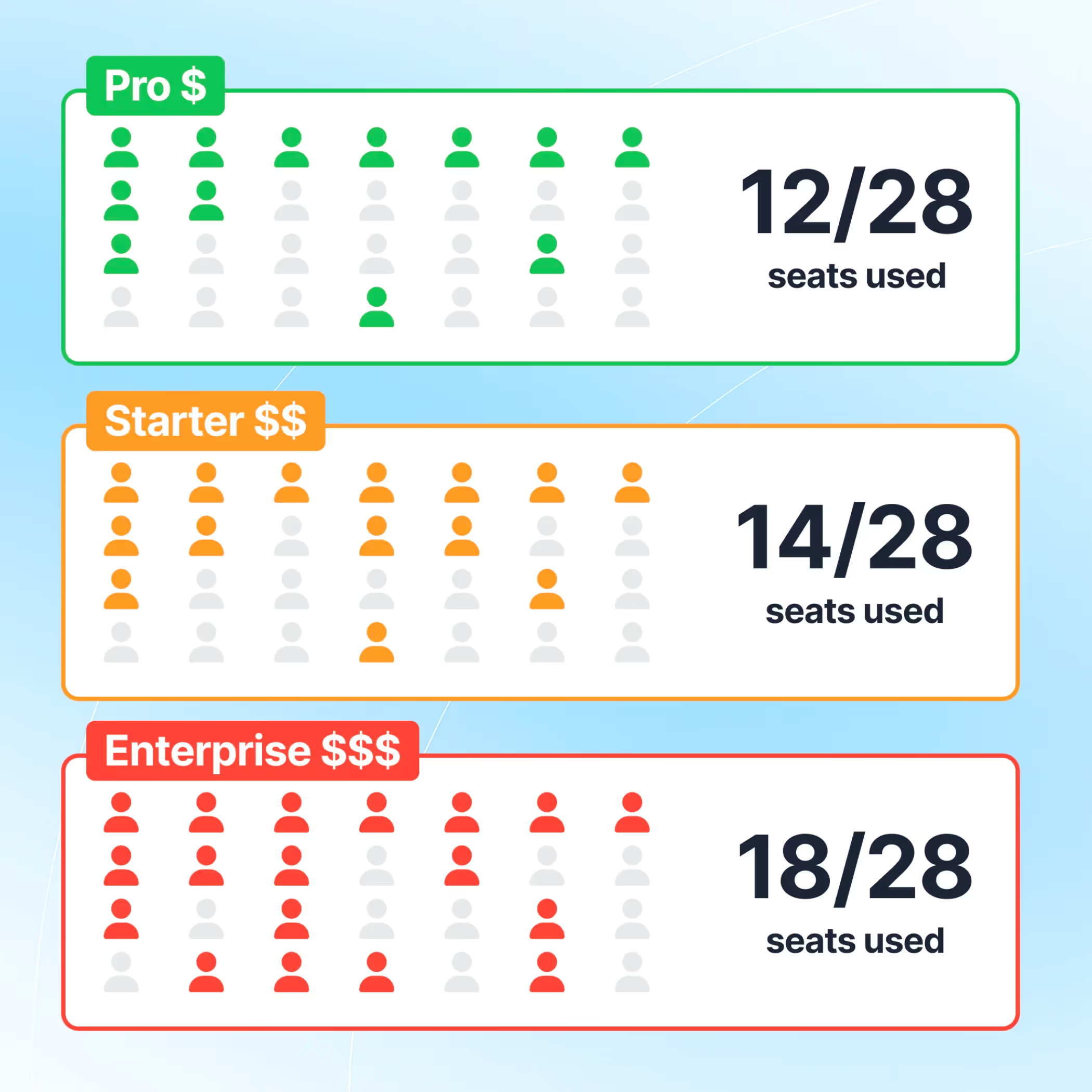
This is where the largest hidden spend sits, and it’s the hardest to detect without usage data. A team signs up for an enterprise tier because they thought they’d need advanced features. A year later, they’re using the same three functions available on the basic plan. Nobody downgrades because nobody is measuring feature adoption. The "just in case" upgrade becomes a permanent spend for a capability that’s never touched.
Multiply this across 50 or 100 SaaS tools in a mid-market stack, and overprovisioning becomes one of the largest waste categories, even though no single instance looks expensive enough to flag on its own.
SaaS Audits Explained: Why Most Audit Approaches Fail
Most companies that try to tackle SaaS waste start with an audit. Someone in IT or Finance builds a spreadsheet, cross-references SSO with expense data, cancels a few obvious seats, and reports back that the stack has been “cleaned up.” It looks fixed—for about a week.
Then the waste rebuilds. The spreadsheet was a snapshot. Snapshots go stale. New hires get tools. Employees leave without full offboarding. Departments buy subscriptions without telling anyone. Within 60 days, the audit is fiction. Within six months, you’re back to where you started, except now leadership thinks the problem is handled.
The deeper issue is that most audits have no enforcement mechanism.
They surface findings but create no obligation to act. There’s no workflow that converts a flagged license into a cancelled seat. No escalation path when a department ignores the recommendation. The audit produces a report. The report sits in a shared drive. The waste continues.
Manual SaaS Audits vs. Continuous SaaS Monitoring
Manual audits are point-in-time snapshots built from fragmented data sources. They require significant effort, produce findings that decay within weeks, and depend on someone remembering to repeat the process. Continuous SaaS monitoring, by contrast, uses automated endpoint scanning and usage tracking to maintain a standing view of the full stack. Waste is flagged as it appears, not months later during a scheduled review. The difference is the same as running a security scan once a year versus monitoring continuously: one catches problems after the damage is done, the other catches them as they form.
SaaS License Audit Process: How to Actually Identify Waste
If your last audit was someone eyeballing SSO and calling it a day, here’s a process that actually works. It’s not complex. It’s just operationally heavy, which is why most teams avoid it. But it’s the foundation of any real SaaS cost optimization effort.
Step 1: Build a Complete SaaS Inventory Across All Spend Sources
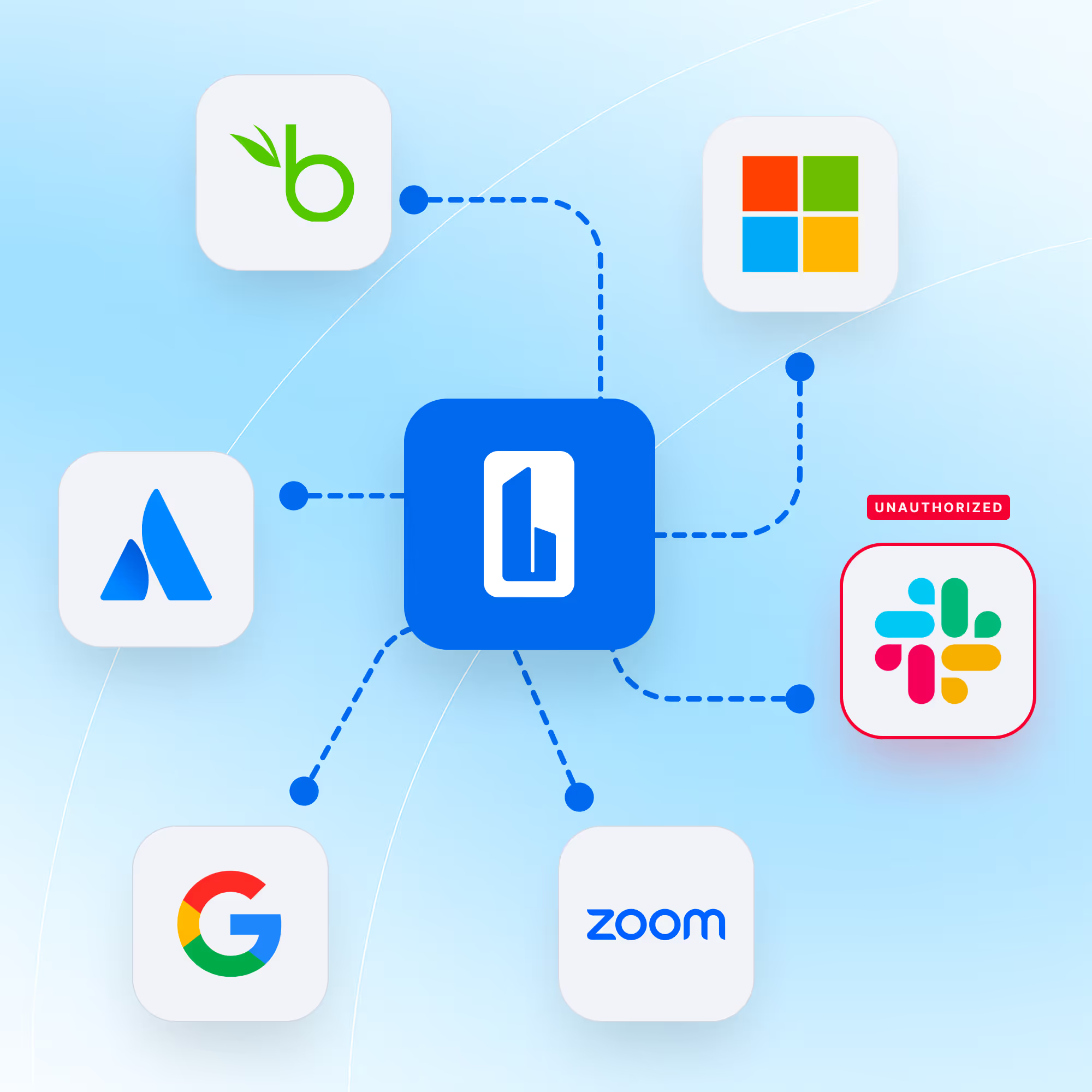
Pull every application connected to your SSO provider. Then pull 12 months of accounts payable data for recurring software charges. Check corporate card statements. Check individual expense reports. The goal is one comprehensive list of every SaaS tool the company is paying for, regardless of who bought it or how it’s billed. If this list is longer than you expected, that tells you exactly how much visibility you’ve been missing.
Step 2: Match Licenses to Active Employees
For each tool, pull the user list and cross-reference it against your HR directory. Anyone who doesn’t match is an immediate waste. Anyone who matches but hasn’t logged in for 90 days is probably a waste too. In most mid-market environments, this step alone uncovers a significant portion of total SaaS spend going to seats that are orphaned or effectively abandoned.
Step 3: Compare Usage Data to License Entitlements
A login is not usage. Someone hitting a landing page once a month is not getting value from a paid license. Check whether users are engaging with core features. Most SaaS vendors provide admin usage dashboards. If a vendor doesn’t offer usage data at all, ask yourself why you’re paying for a tool that can’t tell you whether anyone is using it.
This is also where you catch overprovisioned plans. Compare the features your team actually uses against what your current tier includes. If you’re on an enterprise plan but only using basic functionality, that’s a downgrade opportunity that directly reduces SaaS spend.
Step 4: Categorize and Prioritize SaaS Waste
Tag every finding against the categories from earlier: zombie accounts, duplicate tools, overprovisioned plans, and shadow SaaS. This matters because each type of waste has a different reclamation path. Zombie accounts can be killed today. Duplicate tools require stakeholder conversations. Overprovisioned plans need a renewal negotiation. Shadow SaaS requires discovery tooling you probably don’t have yet. A structured SaaS audit process makes this categorization repeatable instead of ad hoc.
Map every finding to its contract renewal date and cancellation window. The most expensive waste isn’t the licenses you’re overpaying for today. It’s the contract that auto-renewed last month because nobody was watching the calendar.
License Reclamation Challenges: Why Identified Waste Doesn’t Get Fixed
Finding waste isn’t the problem. Every team that runs an audit finds plenty. The hard part is actually reclaiming it. And this is where most efforts stall, not because it’s technically hard, but because no one has clear authority to act.
Teams identify unused licenses, and then nothing happens. There’s no defined process for revoking access. Nobody has the authority to cancel a seat without approval from a department head who doesn’t respond. IT flags waste, but Finance owns the contracts. Finance sees the waste, but procurement owns the vendor relationship. The result is a spreadsheet full of findings and zero action.
The other failure mode is treating reclamation as a project instead of a process. You cancel 30 unused seats and call it done. But nothing changed in how tools get purchased, provisioned, or offboarded. The same conditions that created the waste are still running. Without a standing mechanism that catches new waste as it forms, reclamation is just periodic cleanup with no lasting effect.
SaaS License Reclamation Framework: How to Build a Process That Sticks
Assigning Ownership: Who Is Responsible for SaaS Cost Control
If ownership isn’t explicit, reclamation doesn’t happen. Not "the team." Not "IT and Finance together." A named person with defined authority to revoke unused licenses and negotiate contract changes. Give one person the mandate and the data to act.
Defining Usage Thresholds: When a License Becomes Waste
Define what counts as "unused" before you start reclaiming. A clean threshold removes the ambiguity that lets waste persist. For example: any seat with no login for 90 days gets flagged for review. Any seat with login but no core feature engagement for 60 days gets flagged as underutilized. Put the thresholds in writing so the process runs on rules, not judgment calls.
Automating Detection: Scaling SaaS Management Beyond Manual Reviews
Manual reviews are how audits die. The first one gets done with energy. The second one gets pushed. The third one never happens. Automate the detection of unused licenses, orphaned accounts, and approaching renewal windows. The less human effort required to surface waste, the more likely it actually gets surfaced. This is the difference between a one-time SaaS cost optimization project and an ongoing SaaS spend management capability.
Renewal-Based Reviews: Acting Before Contracts Lock In
Tie reviews to renewal dates, not your fiscal calendar. Renewals don’t wait for your planning cycle. If you’re reviewing SaaS spend annually, you’re reviewing it after most of the auto-renewals have already locked in. Build a rolling calendar where every contract gets a usage review 60 to 90 days before its renewal window closes. That’s when you have leverage. After the auto-renewal, you have none.
SaaS Visibility Problem: The Root Cause of Uncontrolled SaaS Spend
Every problem here traces back to one issue: incomplete visibility.
The zombie accounts exist because you don’t have a complete picture of who has licenses. The duplicate tools exist because nobody can see what’s already deployed. The overprovisioned plans persist because nobody is measuring feature-level usage. The audits fail because they’re built on stale data that starts decaying the moment it’s collected.
If you don’t know who’s using your SaaS tools, you don’t have control over your spend. You have contracts running on autopilot and a finance team approving charges they can’t evaluate.
The only way to fix this is with direct SaaS visibility into what’s actually running across your environment. Block 64 does this by scanning endpoints directly. It doesn’t rely on SSO data or expense reports, both of which are incomplete by default. It sees what’s actually installed and running: the tools that bypassed procurement, the browser extensions with paid tiers, the departmental subscriptions billed to individual cards that never hit a centralized report. It maps all of it to real usage data and flags waste automatically, so you’re not waiting for someone to run a report. The visibility is continuous, and it covers the full stack, not just the tools you already know about.
That shift changes how SaaS spend is managed. From periodic audits and stale spreadsheets to a standing, always-current view of what’s deployed, who’s using it, and where the money is going. From reacting at renewal time to managing proactively, with data, every day.
How to Reduce SaaS Spend: Quick-Reference Checklist
- Build a complete SaaS inventory from SSO, finance, expense, and endpoint data.
- Map every license to a current employee. Eliminate zombie accounts immediately.
- Measure real feature usage, not just logins. Flag underutilized seats.
- Identify duplicate tools across departments and consolidate.
- Downgrade overprovisioned plans where enterprise features aren’t being used.
- Assign a named owner for SaaS governance with authority to act.
- Set usage thresholds that automatically flag waste.
- Tie every review to renewal dates, not your fiscal calendar.
- Replace manual audits with continuous, automated SaaS monitoring.
If you don’t know what’s running in your environment today, start with a Block 64 trial. Or if you'd like hands on support, explore our Application Rationalization service.